
DSL, Satellite, Fixed Wireless, and Fiber: Matching Connection Type to Your Location

Key Takeaways
Our Verdict
No single connection type dominates every situation. Fiber is the strongest performer where it's available, but most Americans outside dense urban and suburban areas must weigh DSL, fixed wireless, or satellite against their specific speed needs, budget, and tolerance for latency. Understanding what each technology actually delivers - not what marketing materials promise - is the most practical starting point.
| Best for | Recommended |
|---|---|
| Urban and dense suburban households needing fast, consistent speeds | Fiber |
| Rural and small-town users within range of a wireless tower | Fixed Wireless |
| Remote locations where no wired or tower-based option exists | Satellite |
| Households in areas where only phone-line infrastructure is available | DSL |
Why Your Location Is the First Variable
When people search for home internet options, they often assume the decision is mainly about price or speed tiers. In reality, the technology physically available at your address narrows the field before any other factor comes into play. A fiber plan that doesn't reach your street isn't an option - regardless of how attractive it looks online.
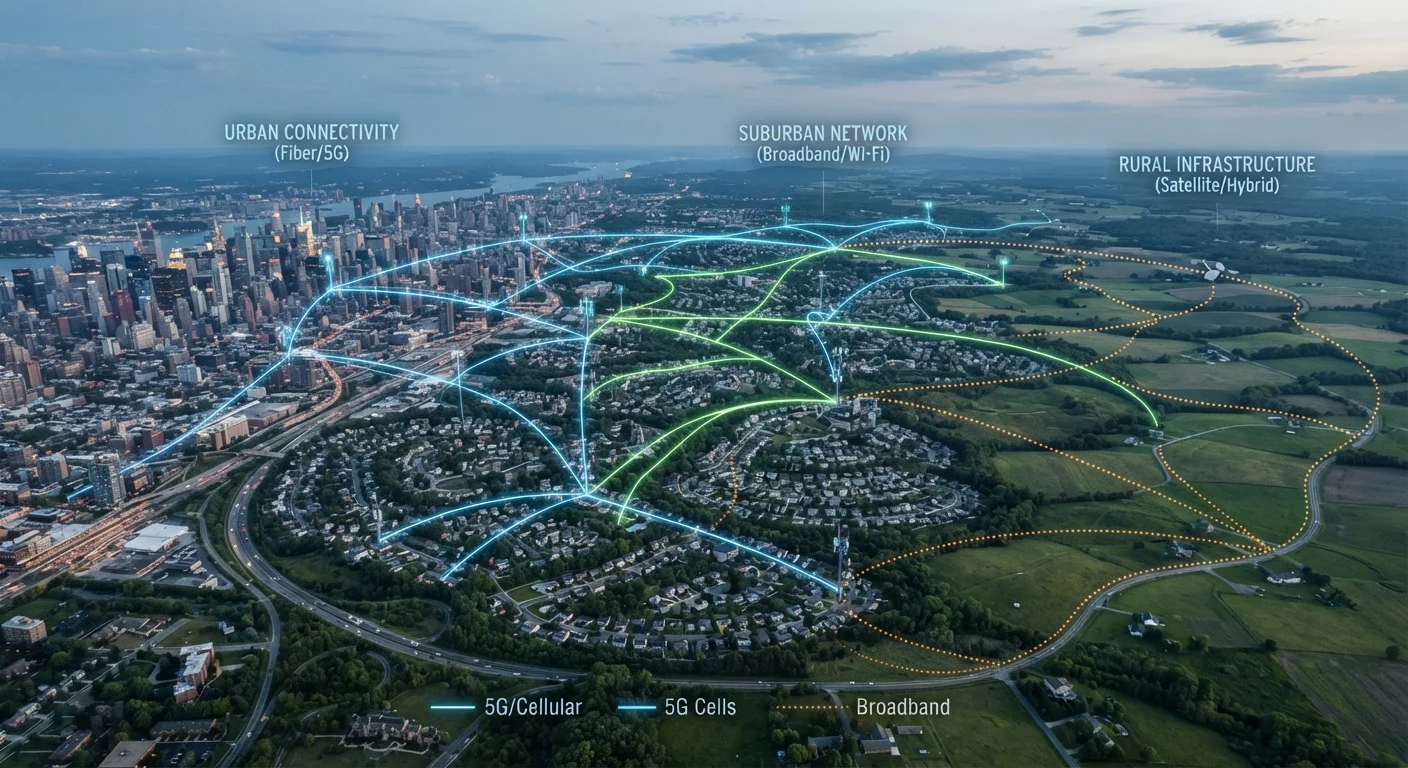
The four major residential technologies - DSL, satellite, fixed wireless, and fiber - each rely on different infrastructure, and that infrastructure is distributed unevenly across the country. Urban cores tend to have the most options. Rural areas often have one or two, sometimes just one. For a broader primer on how these technologies work at a basic level, see Home Internet Explained.
DSL: Wide Reach, Real Limitations
DSL (Digital Subscriber Line) transmits data over the copper telephone lines that already run to most homes in the U.S. That existing infrastructure is DSL's biggest advantage: it reaches towns and rural areas that never received cable or fiber buildouts. It's also its biggest limitation - copper degrades signal over distance, so speeds drop noticeably the farther your home sits from a provider's central switching facility.
Typical DSL speeds range from roughly 1 Mbps to 100 Mbps depending on line quality and distance. For light browsing and email, that's workable. For households with multiple simultaneous video streams or remote workers on video calls, DSL often falls short. Upload speeds are particularly constrained, which matters more than it used to now that two-way communication (video conferencing, cloud backups) is routine.
Check Your Distance from the Central Office
If DSL is your primary option, ask the provider how far your address sits from their nearest switching facility (often called the central office or DSLAM). Distances beyond 3-4 miles on older copper lines can mean noticeably reduced speeds from the advertised maximum. This one question can help set realistic expectations before you commit to a plan.
Satellite: Universal Coverage, Unique Trade-offs
Satellite internet reaches any location with a clear view of the sky, making it the option of last resort - and sometimes the only option - for remote rural households. Traditional geostationary satellite systems transmit signals roughly 22,000 miles to and from orbit, creating round-trip delays (latency) of 500-700 milliseconds. That delay is imperceptible when loading a webpage but noticeably disruptive for video calls and online gaming.
A newer generation of low-Earth-orbit (LEO) satellite systems operates at altitudes of a few hundred miles rather than 22,000, cutting latency to roughly 20-60 milliseconds in many conditions. That's a meaningful improvement, though still typically higher than ground-based technologies. Weather can still affect signal quality, and equipment and service costs for LEO systems tend to run higher than traditional broadband alternatives. See how LEO technology changes the calculus for rural users.
| DSL | Satellite | Fixed Wireless | Fiber | |
|---|---|---|---|---|
| Typical download speed range | 1-100 Mbps | 25-220 Mbps | 25-500+ Mbps | 100 Mbps-1+ Gbps |
| Upload speed | Usually low | Moderate | Moderate to good | Symmetrical (equal to download) |
| Latency | Moderate (20-70ms) | High (geostationary) or moderate (LEO) | Low to moderate | Very low (<10ms typical) |
| Rural availability | Widely available | Near-universal | Growing rapidly | Limited, expanding slowly |
| Weather sensitivity | Low | Moderate to high | Low to moderate | Very low |
| Infrastructure requirement | Existing phone lines | Dish antenna at home | Tower line-of-sight | New fiber cable runs |
| Typical reliability | Moderate | Variable | Good with clear signal | High |
Fixed Wireless: The Expanding Middle Ground
Fixed wireless access (FWA) delivers internet via radio signals transmitted from a nearby tower to an antenna mounted on or near your home. It doesn't require digging trenches for cable or fiber, which makes deployment in suburban fringe areas and rural towns significantly faster and cheaper than wired alternatives.
Performance depends heavily on line-of-sight to the tower, distance, and local network congestion. Many fixed wireless services now operate on licensed spectrum bands that offer more reliability than older unlicensed systems. Speeds typically range from 25 Mbps to several hundred Mbps, and newer 5G-based fixed wireless services can reach gigabit-class speeds in favorable conditions - though those speeds are less consistent than fiber. If you're comparing fixed wireless against a cable option, this breakdown of fiber vs. cable provides useful context on wired technology benchmarks.
Fiber: The Performance Standard Where Available
Fiber-optic internet transmits data as pulses of light through glass or plastic strands. It offers symmetrical upload and download speeds - meaning you send and receive data at the same rate - and is far less susceptible to interference or signal degradation over distance than copper-based technologies. For households with heavy usage, fiber consistently outperforms alternatives on both speed and reliability.
The catch is availability. Fiber requires new physical infrastructure, and building it is expensive. As a result, fiber is most common in larger cities and growing suburbs where the density of customers justifies the buildout cost. Rural and exurban areas often lack fiber entirely, though federal infrastructure programs have aimed to expand its reach over time.
Once you've settled on a connection type, the next decision is equipment. Renting vs. owning your modem or router is a practical follow-up question that affects your monthly costs regardless of which technology you're on.
How to Find What's Actually Available at Your Address
ISP coverage maps are a reasonable starting point, but they're known to overstate availability - a block shown as covered may not actually have service at every address. The FCC maintains a national broadband map that aggregates provider-reported data, and most states have begun publishing their own maps with greater address-level accuracy.
The most reliable method is direct inquiry: contact providers that appear to serve your area and ask whether service is available at your specific address before investing time in comparing plans. After you have a connection, performance inside your home becomes the next concern - see wired vs. Wi-Fi trade-offs for how your in-home setup affects what you actually experience from any internet technology.