
Modem, Router, and Gateway: Understanding the Devices Between You and the Internet

Key Takeaways
Modem, Router, and Gateway
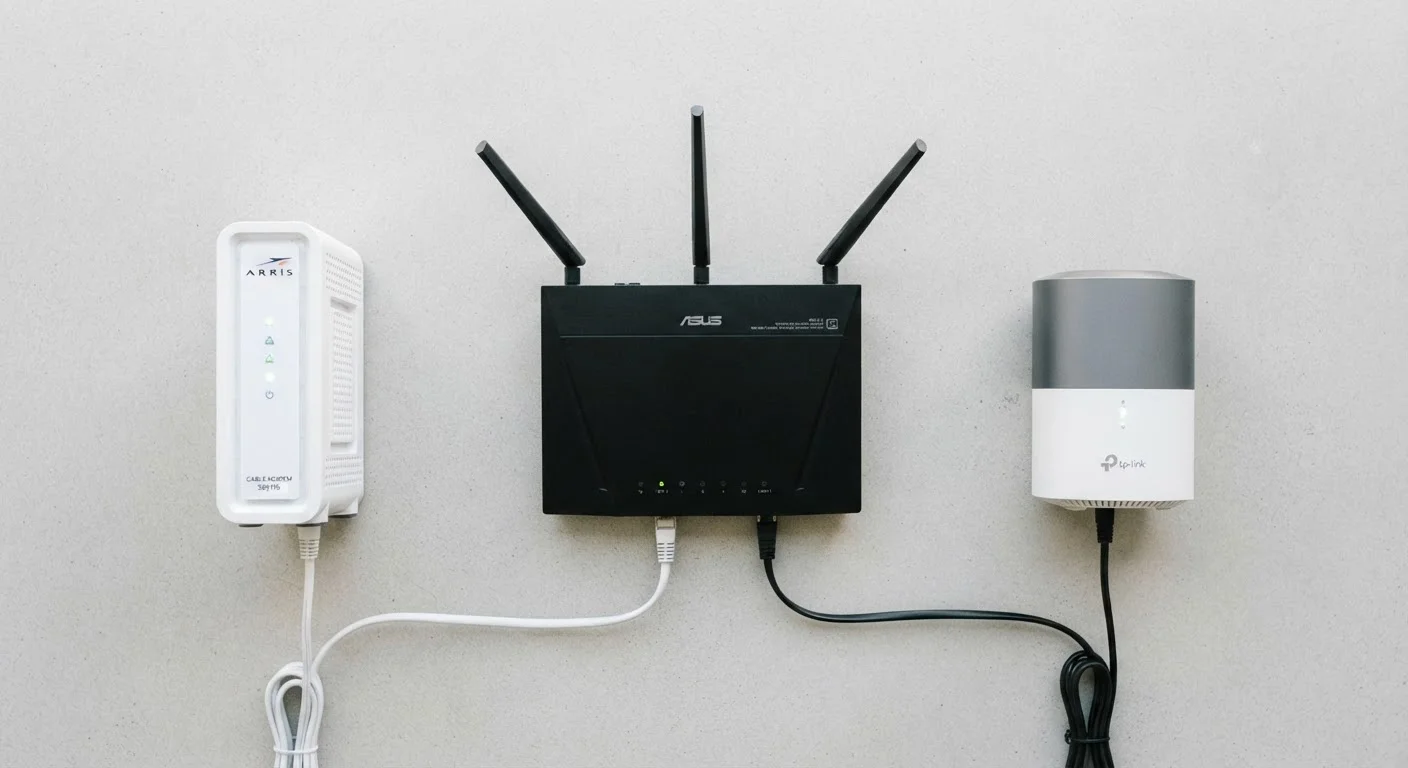
A modem connects your home to your internet service provider's (ISP's) network. A router distributes that internet connection to all the devices inside your home. A gateway is a single device that combines both functions into one box - which is what many ISPs hand you when you sign up for service.
Modems translate signals between your ISP's physical infrastructure (coaxial cable, phone line, or fiber) and the standard Ethernet protocol used inside your home. Routers operate at the network layer, assigning local IP addresses and managing traffic between devices.
What a Modem Actually Does
Your internet service arrives at your home through a physical medium - a coaxial cable from a cable provider, a phone line for DSL, or a fiber-optic line. The signal traveling through that medium is in a format your computer doesn't natively understand. The modem's job is translation: it converts your ISP's signal into standard Ethernet data that your home network can use, and it converts outgoing data back into a format the ISP's network accepts.
The word modem is short for modulator-demodulator, a name that reflects this two-way translation role. Different connection types require different modem hardware. A cable modem (which uses the DOCSIS standard) won't work on a DSL line, and neither will work on a fiber connection, which often uses a device called an ONT instead. For more on connection types, see Home Internet Explained.
On its own, a standalone modem gives you one Ethernet port with one internet connection - enough for a single wired device, but not a houseful of phones, laptops, and smart TVs.
What a Router Does - and Why You Need It
A router takes the single internet connection coming from the modem and shares it among all the devices in your home. It does this by creating a local network and assigning each device its own private IP address, then managing the flow of data between those devices and the internet.
When you load a webpage, your router keeps track of which device made the request so it can deliver the response to the right place - even when dozens of devices are active simultaneously. This process, called Network Address Translation (NAT), is what allows an entire household to share a single public IP address provided by the ISP.
Most home routers also broadcast a Wi-Fi signal, which is how smartphones, tablets, and laptops connect wirelessly. The router and Wi-Fi are not the same thing - Wi-Fi is just one method the router uses to connect devices. Wired vs. Wi-Fi connections explores how each performs in practice.
~65%
U.S. households using ISP-provided equipment
Industry estimates suggest the majority of broadband subscribers use the modem or gateway their ISP provides rather than their own hardware.
$10-$15/mo
Typical ISP equipment rental fee
Many major cable and DSL providers charge a monthly rental fee for a gateway or modem, which can add up significantly over a multi-year service period.
1
Ethernet port on a standalone modem
A modem alone provides a single wired connection; a router or gateway is required to serve multiple devices simultaneously.
The Gateway: One Box, Both Jobs
A gateway integrates the modem and router into a single device. This is the most common configuration in American homes simply because it's what most ISPs hand you when you sign up - one box handles the ISP connection and distributes it to your devices via both Ethernet ports and Wi-Fi.
From a practical standpoint, a gateway is simpler: fewer cables, one power outlet, one device to restart when troubleshooting. ISPs also prefer them because they can remotely manage a single piece of equipment. The trade-off is flexibility. With a dedicated router, you typically have access to more advanced configuration options and may be able to choose hardware with stronger performance. With a gateway, you're largely working within the boundaries the ISP has set.
Some households use what's informally called a double NAT setup - the ISP's gateway is left in place, and a personal router is plugged into it. This can cause issues with certain applications and gaming setups. If you add your own router, look for the option to put the gateway into bridge mode, which disables its routing functions and lets your router take over cleanly.
Try Bridge Mode Before Buying New Hardware
If you're adding a personal router to a network that already has an ISP gateway, check whether the gateway supports bridge mode before setting anything up. Bridge mode disables the gateway's routing and NAT functions, so your personal router takes full control without the double NAT conflict. Your ISP's support documentation or a quick call to customer service can confirm whether your gateway model supports it.
Choosing the Right Setup for Your Home
For most households, the gateway provided by the ISP is perfectly functional. If you're experiencing dead zones, slow speeds in parts of your home, or want more control over your network - such as setting up a guest network or parental controls - a separate router (or a mesh Wi-Fi system plugged into a modem-only device) gives you more options.
Before purchasing any equipment, verify compatibility with your ISP. Most cable and DSL providers publish approved equipment lists. Fiber and some fixed-wireless providers use proprietary hardware that cannot be replaced with consumer equipment. Renting vs. buying equipment involves its own set of trade-offs; see Renting vs. Owning Your Modem or Router for a balanced look at the considerations.
If you'd like to decode more of the terminology that comes with home networking and internet service, Every Tech Term You Keep Seeing but Never Looked Up covers the broader landscape of commonly misunderstood tech words in plain English.