

Key Takeaways
Why Internet Bills Are So Hard to Read
Internet service providers are not legally required to present bills in a standardized format, which means each ISP structures its statements differently. A charge that one carrier calls a "Network Access Fee" another labels a "Infrastructure Recovery Surcharge" - and they may or may not represent the same thing. Add in promotional credits, equipment rentals, and regulatory pass-throughs, and a bill that should show one service at one price can easily carry eight or more line items.
The gap between advertised price and actual monthly charge is also a documented industry pattern. Regulatory fees, equipment rental, and taxes routinely add 20-40% on top of the promotional rate consumers see in marketing. Knowing what each category means puts you in a position to verify every charge rather than accept the total on faith.
Auto-Pay Doesn't Mean Auto-Correct
Many households set up autopay and never review another statement. That approach can allow billing errors, unauthorized service additions, or post-promotion rate increases to go unnoticed for months. Make it a habit to scan your bill at least once a quarter, even if you pay automatically.
If you're still evaluating which type of internet service to get before reading a bill for it, start with an overview of connection types and what they mean for your household.
What You Need Before You Start
Having the right documents at hand makes this process straightforward. Gather your materials before working through the steps below.
What you will need
Current Internet Bill
The primary document you will work through line by line to identify and verify each charge.
ISP Account Portal
Used to cross-reference current plan details, equipment on your account, and billing history.
Original Sign-Up Confirmation
Provides the baseline price, promotional terms, and included features to compare against current charges.
Save Your Original Plan Documents
When you sign up for internet service, screenshot or print the plan summary page showing your promotional rate, included equipment, and any contract terms. Having this reference makes it much easier to verify your bill accurately over time. If anything changes unexpectedly, you'll have documentation to support a dispute.
Step-by-Step: Reading Every Line
Work through your bill in the order it's presented, using the steps below to identify what each charge category represents and whether it matches what you agreed to.
Locate and open your full itemized bill
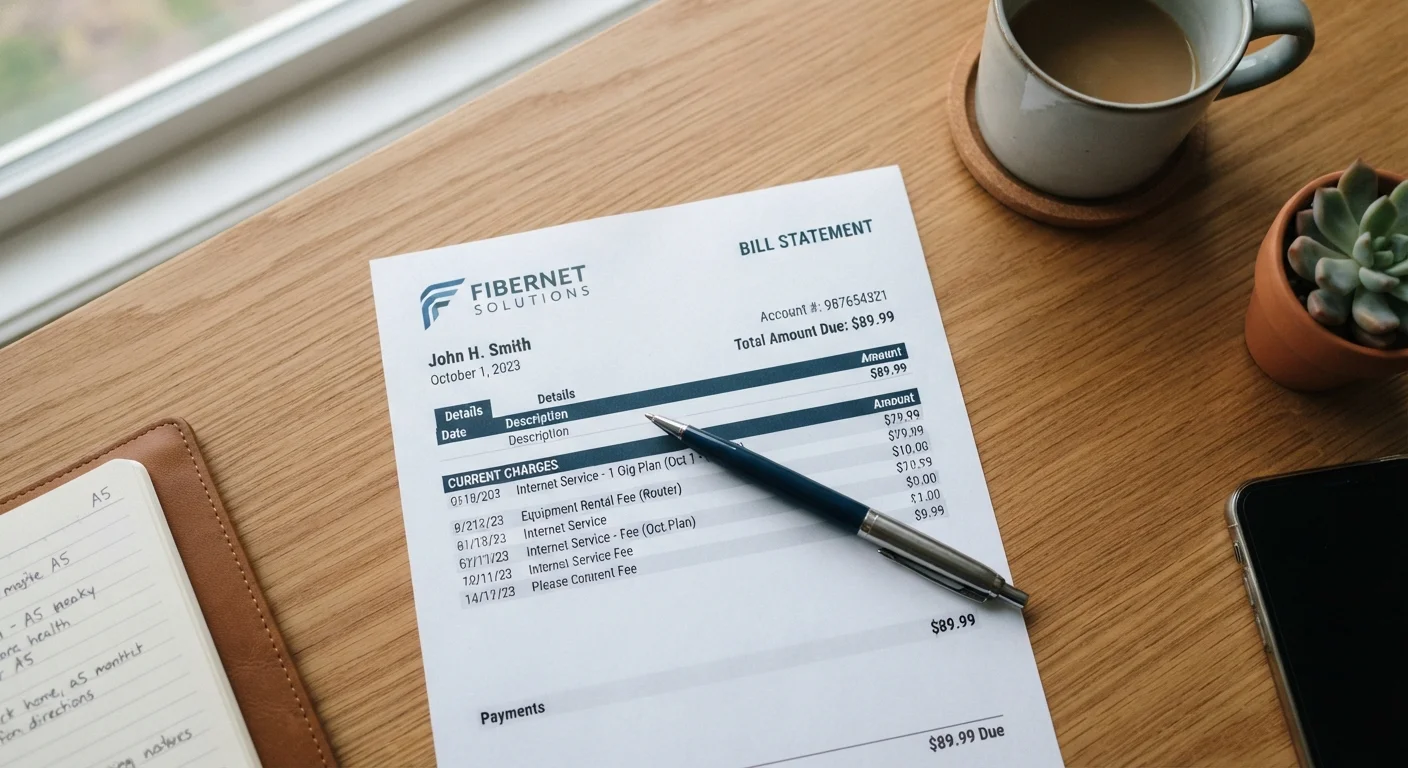
Log into your ISP's online account portal or open the paper statement. Navigate to the detailed billing section - many providers show only a summary on the first page, so look for a link labeled "View Bill Details," "Full Statement," or similar. You need the version that shows every individual line item, not just the total due.
Identify your base service charge
Find the line labeled something like "Internet Service," "Monthly Plan," or your specific tier name (e.g., "100 Mbps Plan"). This is the core fee for your connection speed tier. Compare this number to what you agreed to at sign-up. If you are still within a promotional window, this should match the discounted rate - you'll typically see the discount listed separately as a credit or deduction on the same bill.
For context on what different speed tiers actually mean for everyday use, see our plain-English guide to home internet types and speeds.
Review equipment fees
Look for lines like "Modem Rental," "Gateway Fee," "Router Lease," or "Equipment Charge." ISPs typically charge between $10 and $20 per month for renting a modem or gateway device. If you own your own compatible equipment, this fee should not appear. If it does, contact your ISP - this is a documented error type that happens when a customer-owned device isn't properly noted on the account.
Also check for any lines referencing installation or activation that are appearing as recurring charges. One-time fees should appear only on the first bill, not every month.
Decode regulatory and recovery fees
This section trips up most readers. Look for lines such as "Federal Universal Service Fund (USF) Recovery," "State Regulatory Fee," "Telecommunications Relay Service," or "E911 Fee." These are pass-through charges - your ISP collects them on behalf of federal and state programs that fund services like rural broadband access and emergency calling infrastructure.
These fees are legitimate, but their amounts can vary by ISP and location. If a line labeled as a regulatory fee seems unusually high or vague, ask your ISP for a written explanation of exactly which regulatory program it funds.
Check for promotional credits and their expiration
Promotional discounts typically appear as a credit line (a negative dollar amount) directly beneath the base service charge. The line might read "Promotional Discount - 12 Month," "Loyalty Credit," or "Bundle Savings." Note the credit amount, and then check the bill or your account portal for an end date.
When that credit disappears from your bill, your total will increase by that exact amount. Before signing any service agreement, verify all promotional terms and expiration dates so you know exactly when the full rate kicks in.
[important_callout]Identify any add-on service charges
Look for lines that don't match what you remember ordering - things like "Security Suite," "Technical Support Plan," "Static IP Address," "TV Streaming Add-On," or "Additional IP Block." Some of these are legitimately ordered services; others sometimes appear after a service call, a promotional bundle, or a customer retention offer that you may not have realized included an ongoing charge.
If you don't recognize a line item, log into your account and check the "Subscriptions" or "Services" section to see what's listed as active. Anything unrecognized should be disputed directly with your ISP's billing department.
Verify taxes and total against your expectations
Your bill's final section should list applicable sales taxes or local taxes separately from the regulatory fees. Add up all the charges yourself - base service, equipment fee (if applicable), regulatory fees, any add-ons, minus any credits - and confirm the sum matches the total due. If the math doesn't add up, there may be a line item that isn't clearly labeled, and your ISP's billing department can walk through it with you line by line.
Understanding your internet bill uses the same analytical mindset as decoding a wireless phone bill - many of the same fee categories appear on both.
What to Do If Something Looks Wrong
Billing errors - whether duplicate charges, fees for unreturned equipment you actually returned, or add-ons you didn't request - are more common than most subscribers expect. Document the specific line item in question, gather your supporting evidence (return receipts, original plan confirmation, prior bills), and contact your ISP's billing department directly.
Most ISPs have a formal dispute process, and credits are routinely issued for verified errors. If a dispute isn't resolved to your satisfaction, the Federal Communications Commission (FCC) accepts informal complaints about billing practices at fcc.gov/consumers/guides/filing-informal-complaint. Your state's public utilities commission may also have jurisdiction over certain ISP billing practices.
The same careful approach applies to wireless bills. See how to decode a phone bill line by line for a comparable walkthrough. And if you're evaluating a new internet contract rather than auditing an existing bill, review what to confirm before signing an internet service agreement so you know what you're committing to upfront.