

Key Takeaways
Option A
Smartphone Storage
The permanent filing cabinet that holds everything you save.
Best for: Anyone who keeps lots of photos, apps, music, and files directly on their device.
Option B
RAM (Random Access Memory)
The active workspace that keeps things running smoothly right now.
Best for: Users who multitask heavily, switch between many apps, or run demanding applications.
If you take lots of photos and videos and download music or podcasts
Smartphone Storage
More onboard storage directly solves the 'your storage is full' problem, letting you keep files without constant juggling or cloud dependence.
If you multitask heavily - jumping between social media, navigation, and streaming
RAM (Random Access Memory)
Higher RAM capacity means apps stay loaded in the background longer, reducing reload times and keeping your workflow smooth.
If your phone feels sluggish even when storage isn't full
RAM (Random Access Memory)
Sluggishness during active use is typically a RAM issue, not a storage issue - more memory headroom helps the phone handle multiple tasks at once.
If you rely on cloud services and stream most of your media
RAM (Random Access Memory)
When you don't store much locally, RAM matters more - it determines how fluidly your phone handles the apps you actively use every day.
What Storage Actually Does
Think of storage as your phone's hard drive. It's where everything lives permanently: your photos, downloaded apps, music files, text messages, and the operating system itself. When you take a picture, it's written to storage. When you install an app, it lands in storage. When you turn your phone off and on again, that data is still there.
Storage capacity is measured in gigabytes (GB). Most modern phones ship with anywhere from 64GB to 512GB. Once you fill it up, you literally cannot save anything new - your camera will refuse to shoot, and the app store won't let you install updates - until you delete something or move files elsewhere.
What storage does not do is make your phone faster during active use. A phone with 256GB of storage but limited RAM can still stutter badly while switching apps. Storage size and day-to-day speed are largely separate concerns.
What RAM Actually Does
RAM - short for Random Access Memory - is your phone's short-term workspace. It holds the data that apps and processes need right now, while they're actively running. When you open your email app, its data loads into RAM. When you switch to your browser, that loads into RAM too. The more RAM available, the more apps can stay ready in the background simultaneously.
When RAM fills up, your phone's operating system starts evicting older apps from memory to make room for new ones. This is why, on a phone with limited RAM, returning to an app you used 10 minutes ago sometimes forces it to reload from scratch rather than picking up where you left off - an experience that feels slow even when your storage is nearly empty.
| Criterion | Storage | RAM |
|---|---|---|
| Primary function | Holds files and apps permanently | Runs active processes in real time |
| Data persistence | Survives restarts and power-off | Cleared every time phone restarts |
| Typical capacity range | 64GB - 512GB or more | 4GB - 16GB on most consumer phones |
| When it runs out | Can't save new photos or install apps | Apps reload; multitasking slows down |
| Effect on day-to-day speed | Indirect - affects app load from storage | Direct - determines live multitasking flow |
| User fix options | Delete files, use cloud, add SD card | Close background apps, restart phone |
RAM doesn't store anything permanently. Restart your phone and RAM wipes clean. That's by design - it's built for speed, not permanence. If your phone has ever felt sluggish specifically while you're using it, RAM is almost always the first place to look. For a deeper dive into related performance habits, see our guide to clearing your cache - a commonly misunderstood fix that relates to how your phone manages temporary data.
Why the Confusion Exists - and How to Think Clearly About Both
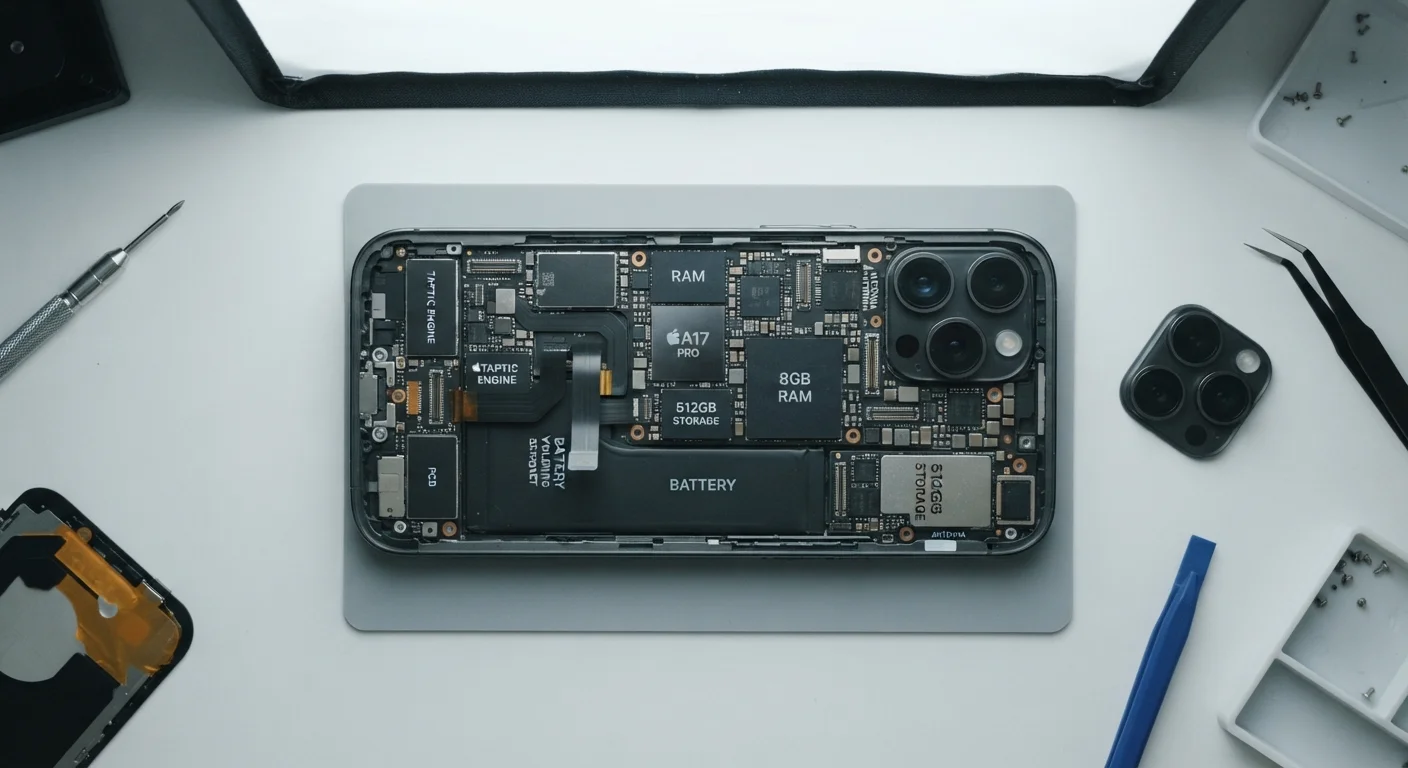
Storage and RAM are often lumped together in phone specs because both are measured in gigabytes and both affect performance - just at very different stages. Manufacturers list them side by side (e.g., "8GB RAM / 128GB storage"), which can make them seem interchangeable. They aren't.
A Note on Spec Sheet Language
Phone manufacturers often list RAM and storage in the same line - for example, "12GB + 256GB" - where the first number is RAM and the second is storage. This shorthand is industry-standard but rarely explained to buyers. When comparing phones, always confirm which number is which before drawing performance conclusions.
A useful mental model: storage is your closet, RAM is your desk. A small desk covered in clutter makes it hard to work, regardless of how spacious your closet is. Conversely, a cluttered closet doesn't slow down the work happening on your desk - until you need to retrieve something from it.
When deciding between two phones or evaluating an upgrade, ask yourself two separate questions: Do I run out of space for my files? and Does my phone lag or reload apps constantly? The first is a storage problem. The second is more likely a RAM problem. Addressing the wrong one won't fix your frustration. If you're also considering phone flexibility features like switching carriers, our explainer on eSIM vs. physical SIM covers another spec category that often confuses buyers.